Run 3D: Endless Runner Adventure
Reviews
Run 3D offers a clean and immersive endless runner experience. The two game modes provide variety, with Explore mode adding structured challenges. Controls are responsive and easy to learn, while the increasing speed keeps the gameplay engaging. The 360-degree rotation adds a strategic element. Overall, it is a solid arcade game with good replayability for short breaks.
About This Game
Game Introduction
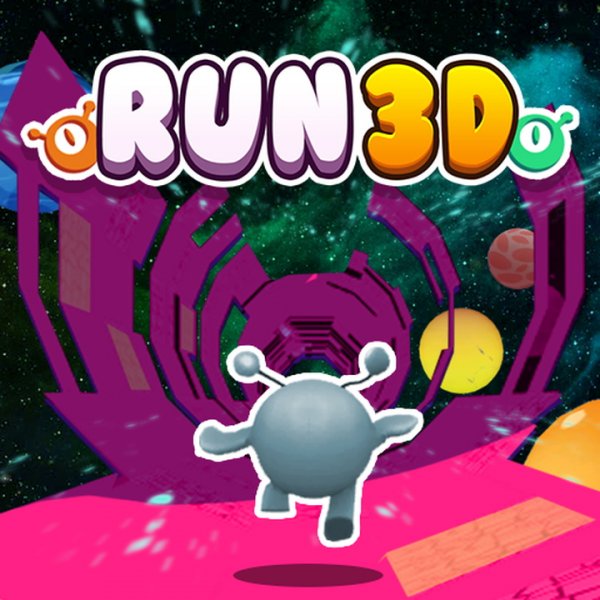
Run 3D is an exciting endless running game set in a futuristic 3D tunnel. The game offers two modes: Infinity mode, where you run as far as possible with no finish line, and Explore mode, which features increasingly difficult levels to complete and earn coins. The game challenges your reflexes, focus, and patience as you navigate through dynamic tunnels. With simple controls and immersive graphics, Run 3D provides a fun and engaging experience for players of all ages.
How to Play
To play Run 3D, start by selecting a game mode. Your character runs automatically, and you control movement using the left and right arrow keys or A and D keys. Use the up arrow, W, or spacebar to jump over gaps and avoid weak blocks. You can rotate 360 degrees around the tunnel to find solid ground. As you progress, speed increases, so stay alert and plan your moves. There are no game-overs, so learn from mistakes and keep trying.
Game Features
Immersive 3D graphics create a futuristic tunnel environment. Endless gameplay offers unlimited replay value. Challenging obstacles test your reflexes and planning. Simple controls make the game accessible to everyone.
Tips for Success
Run 3D is more than just running. It tests quick reflexes and patience. Step into the tunnel and see how far you can go.
✅ Compatibility & Testing
All games on this site are manually tested on: • Desktop (Windows 11, macOS Ventura) • Mobile (iPhone 14, Samsung Galaxy S23) • Tablet (iPad Pro, Android tablet) 📌 Supported browsers: Chrome, Safari, Edge, Firefox (latest versions) 📌 Not supported: Internet Explorer, older browser versions